
سورس بازی Bumper Car Maze در اندروید
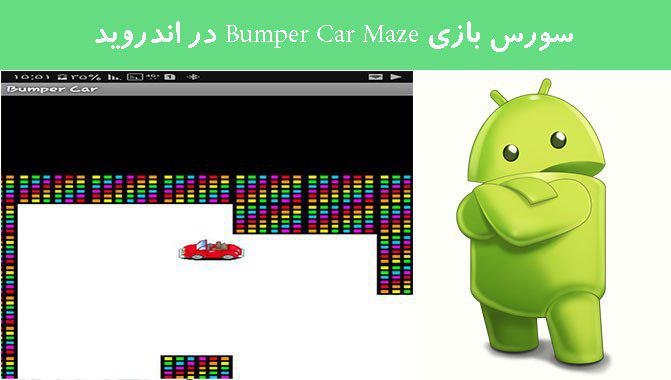
شنبه 4 شهریور 1396در این مقاله یک سورس بازی میخواهیم برای شما قرار دهیم این سورس بازی به این صورت است که شما باید با استفاده از جهت های چپ و راست و بالا و پایین ماشین را بچرخانید وحرکت دهید.
در این سورس 5 تا لایه layout دارد که در اینجا یکی از آنها را توضیح می دهیم:
<?xml version="1.0" encoding="utf-8"?>

<RelativeLayout
	xmlns:android="http://schemas.android.com/apk/res/android"
	android:background="#88888888"
	android:layout_height="fill_parent" android:id="@+id/RelativeLayoutIntro" android:layout_width="fill_parent" android:layout_gravity="center">


<RelativeLayout android:id="@+id/RelativeLayout01" android:layout_width="wrap_content" android:layout_height="wrap_content" android:layout_centerInParent="true" android:layout_centerHorizontal="true"><ImageView android:layout_below="@id/RelativeLayout01" android:background="@drawable/welcom_back" android:id="@+id/welcome_background" android:layout_height="fill_parent" android:layout_width="fill_parent"></ImageView><LinearLayout xmlns:android="http://schemas.android.com/apk/res/android" android:orientation="vertical" android:layout_height="fill_parent" android:layout_centerInParent="true" android:layout_centerVertical="true" android:gravity="center" android:layout_width="wrap_content">


	<TextView android:layout_width="fill_parent" android:layout_height="wrap_content" android:gravity="center_horizontal" android:text="@string/app_name" android:textSize="20dip" android:typeface="sans" android:textStyle="bold" android:textColor="#FFFFFF" android:textColorHint="#000000" android:layout_marginBottom="5dip" android:layout_marginTop="35dip" android:id="@+id/gameIntroTitleText"/><TextView android:layout_width="wrap_content" android:layout_height="wrap_content" android:textColor="#FFFFFF" android:text="@string/intro_msg_one" android:textStyle="bold" android:id="@+id/gameIntroMsgTextOne" android:textSize="15dip"></TextView><TextView android:layout_width="wrap_content" android:layout_height="wrap_content" android:text="@string/intro_msg_two" android:textColor="#FFFFFF" android:textStyle="bold" android:id="@+id/gameIntroMsgTextTwo" android:textSize="15dip"></TextView><Button android:layout_width="wrap_content" android:layout_height="wrap_content" android:id="@+id/startButton" android:layout_centerHorizontal="true" android:layout_centerInParent="true" android:gravity="center" android:text="@string/game_button_msg" android:layout_marginTop="15dip" android:layout_marginBottom="10dip"/><Button android:layout_width="wrap_content" android:layout_height="wrap_content" android:id="@+id/instructionsButton" android:text="@string/instructions_button_msg" android:textSize="13dip" android:layout_marginBottom="5dip"></Button>


</LinearLayout></RelativeLayout>

</RelativeLayout>
و چند تا هم کلاس جاوا داریم که در اینجا یکی از آن ها را توضیح می دهیم:
package com.julioterra.maze;

import game.elements.Coord;
import game.elements.GameStatus;

import com.julioterra.maze.view.GameView;
import com.julioterra.maze.view.GameThread;
import com.julioterra.maze.shapes.Maze;
import com.julioterra.maze.shapes.BumperCar;
import com.julioterra.maze.R;
import android.app.Activity;
import android.content.Context;
import android.content.Intent;
import android.graphics.Canvas;
import android.os.Bundle;
import android.os.Handler;
import android.view.Display;
import android.view.GestureDetector;
import android.view.MotionEvent;
import android.view.WindowManager;
import android.view.GestureDetector.OnGestureListener;

public class Game extends Activity implements OnGestureListener {

	private GestureDetector gestureScanner;
	public GameView gameView;
	public GameThread gameThread;
	public Maze maze;
	public int gameClosed;				// variable to ensure game only launches one win or lost activity

	@Override
	public void onCreate(Bundle savedInstanceState) {
		super.onCreate(savedInstanceState);

		// creates a gestureDetector object with using listener interface from this object
		gestureScanner = new GestureDetector(this);

		// sets the content view by referencing the gamescreen.xml layout file
		setContentView(R.layout.gamescreen);
		// initialize gameView object using the attributes outlined in the gamescreen.xml layout file
		gameView = (GameView) findViewById(R.id.gameView);


		// initialize gameThread and declare an anonymous version of this class to redefine the draw, update and setup methods
		gameThread = new GameThread(this, new Handler())
		{

			public int elementSize, mazeElementSize;
			public BumperCar bumperCar;

			public void setup() {

				// create a instance of display to capture the screen width and height
				Display display = ((WindowManager) getSystemService(Context.WINDOW_SERVICE)).getDefaultDisplay();
				int width = display.getWidth();
				int height = display.getHeight();

				// set the standard size of elements such as bumper and maze elements
				this.elementSize = 45;
				this.mazeElementSize = (int)(elementSize * 1.25);

				// create an instance of the bumper car object
				this.bumperCar = new BumperCar(R.drawable.red_car, new Coord(width/2, height/2), 4, new Coord (elementSize/2, elementSize/2));
				// create the maze by passing it the maze element size, and screen width and height
				maze = new Maze(this.mazeElementSize, width, height);
				gameClosed = 0;

			}

			// update the game by checking if game is over and moving the auto
			public void update() {
				checkWin();
				maze.moveAuto();
				this.bumperCar.update(maze.getDirection());		// confirm direction of bumper car to set appropriate image
			}

			// draw the maze and bumper to screen
			public void draw(Canvas c) {
				c.drawARGB(255, 0, 0, 0);				// background color
				maze.checkColAndDraw(bumperCar);		// check whether the bumper car has collided with a maze element and draw maze
				this.bumperCar.draw();					// draw the bumper car
			}

			// check if the game has been won
			public void checkWin() {
				if (GameStatus.gameOver == true) {
					if (gameClosed == 0) {
						if (GameStatus.gameWon == true) {
							Intent intent = new Intent();
							intent.setClass(Game.this, GameOver.class);
							startActivity(intent);
						} else {
							Intent intent = new Intent();
							intent.setClass(Game.this, GameLost.class);
							startActivity(intent);
						}
						gameThread.end();
						finish();
					}
					// increase the counter that ensures a new activity is not launched more than one
					gameClosed ++;
				}
			}


		};

		// link the gameThread to the gameView using the setThread method from surfaceView class
		// this method enables the gameView to call a method form the gameThread that links a handle
		gameView.setThread(gameThread);
}

	public void onResume(Bundle savedInstanceState) {
		this.maze.initMaze();
	}

// ************************************************
// CALLBACK METHODS FOR ON-GESTURE-LISTENER INTERFACE
// ************************************************

public boolean onTouchEvent(MotionEvent me) {
	boolean result = gestureScanner.onTouchEvent(me);

	try {
		Thread.sleep(30);
	} catch (Exception e) {
		e.printStackTrace();
	}

	return result;
}


public void processTouch(Coord coord) {
	if(Math.abs(coord.x) > Math.abs(coord.y)) {
		if (coord.x > 0) maze.changeDirection(0);
		else maze.changeDirection(2);
	} else {
		if (coord.y > 0) maze.changeDirection(1);
		else maze.changeDirection(3);
	}
//	if (coord.y < 200) maze.changeDirection(3);
//	else if (coord.y > 400) maze.changeDirection(1);
//	else if (coord.x > 250) maze.changeDirection(0);
//	else if (coord.x < 150) maze.changeDirection(2);
}


public boolean onDown(MotionEvent e) {
	return true;
}

public boolean onFling(MotionEvent e1, MotionEvent e2, float velocityX, float velocityY) {
	this.processTouch(new Coord(velocityX, velocityY));
	return true;
}

public void onShowPress(MotionEvent e) {
}

public void onLongPress(MotionEvent e) {
}

public boolean onScroll(MotionEvent e1, MotionEvent e2, float distanceX, float distanceY) {
	return true;
}

public boolean onSingleTapUp(MotionEvent e) {
	return true;
}


}
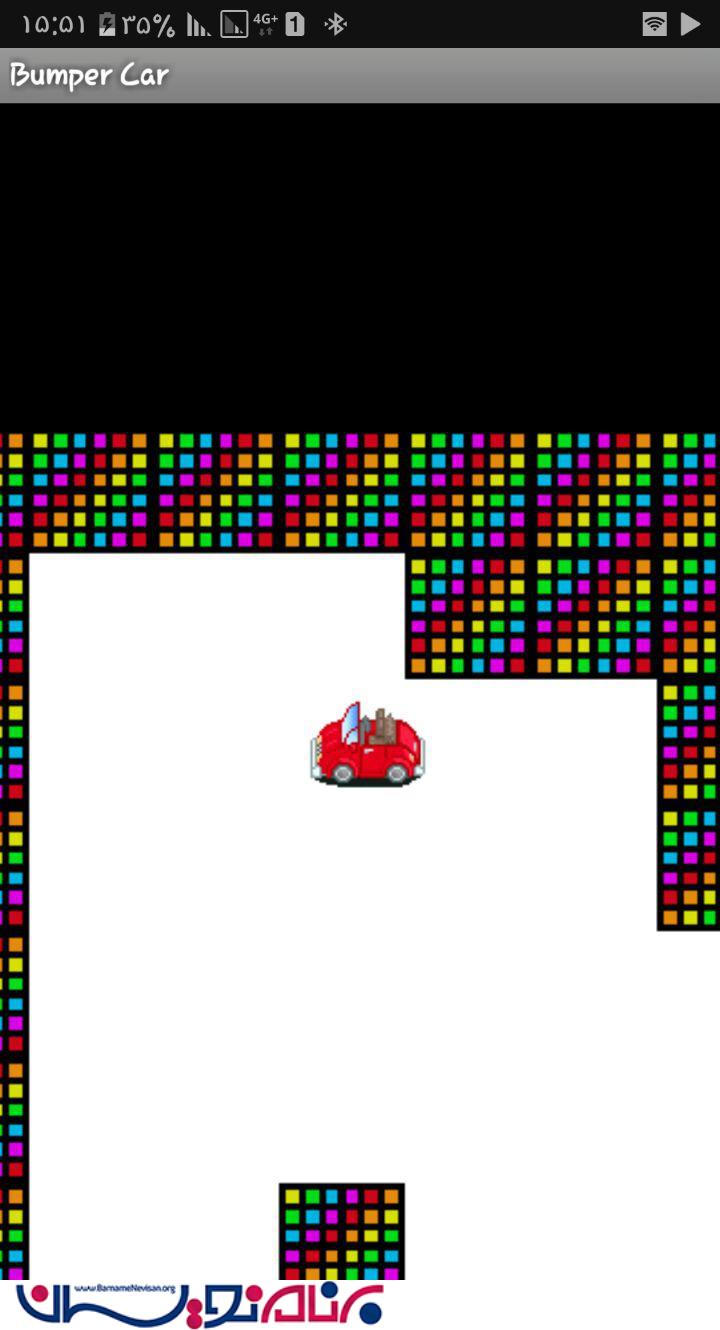
خروجی به صورت زیر خواهد بود:

- Android
- 1k بازدید
- 0 تشکر