
ایجاد دکمه در بین دو لایه با استفاده از متریال دیزاین در اندروید
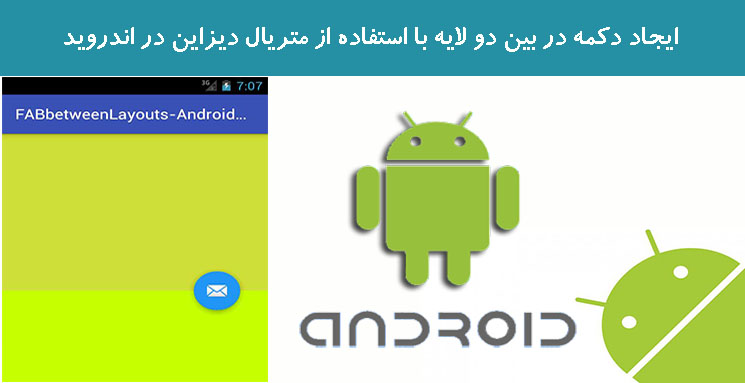
سه شنبه 2 خرداد 1396در این مقاله قصد داریم با استفاده از متریال دیزاین ها دو لایه ایجاد نماییم که زمانی که مثلا دو تا لایه داریم در بین این دو لایه یک دکمه قرار بگیرد که بتوان برای آن رویداد نوشت و یا اینکه یک پیغام به کاربر بدهد.
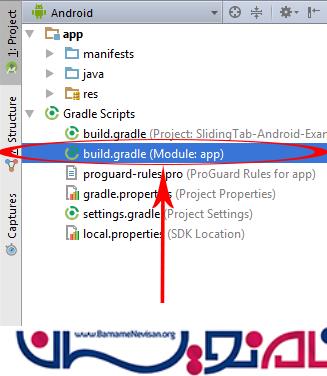
برای افزودن کتابخانه material design باید این کار را انجام دهید:
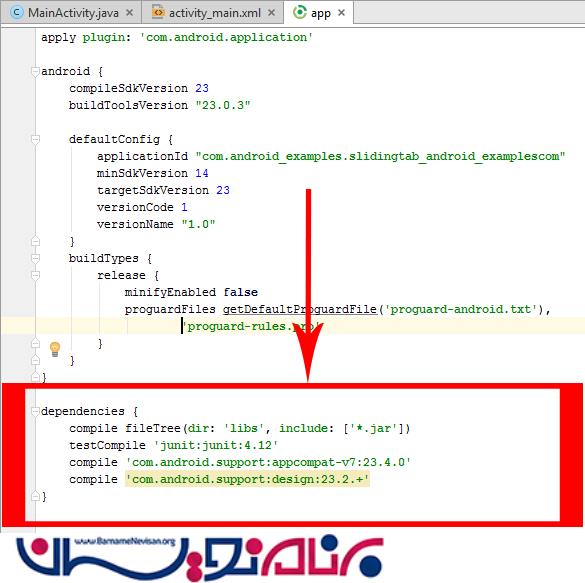
قطعه کد زیر را به کد های خود اضافه نمایید:
compile 'com.android.support:appcompat-v7:23.4.0'
compile 'com.android.support:design:23.2.+'
کلاس به صورت زیر خواهد بود:
import android.support.design.widget.FloatingActionButton;
import android.support.v7.app.AppCompatActivity;
import android.os.Bundle;
import android.view.View;
import android.widget.Toast;

public class MainActivity extends AppCompatActivity {

    FloatingActionButton fab;

    @Override
    protected void onCreate(Bundle savedInstanceState) {
        super.onCreate(savedInstanceState);
        setContentView(R.layout.activity_main);

        fab = (FloatingActionButton) findViewById(R.id.fab1);

        fab.setOnClickListener(new View.OnClickListener() {
            @Override
            public void onClick(View view) {

                Toast.makeText(MainActivity.this, "Fab Clicked", Toast.LENGTH_LONG).show();

            }
        });

    }
}
فایل xml به صورت زیر خواهد بود:
<android.support.design.widget.CoordinatorLayout xmlns:android="http://schemas.android.com/apk/res/android"
    xmlns:app="http://schemas.android.com/apk/res-auto"
    android:layout_width="match_parent"
    android:layout_height="match_parent">

    <LinearLayout
        android:layout_width="match_parent"
        android:layout_height="match_parent"
        android:orientation="vertical">

        <LinearLayout
            android:id="@+id/LinearLayout1"
            android:layout_width="match_parent"
            android:layout_height="match_parent"
            android:orientation="horizontal"
            android:background="#CDDC39"
            android:layout_weight="50"/>

        <LinearLayout
            android:id="@+id/LinearLayout2"
            android:layout_width="match_parent"
            android:layout_height="match_parent"
            android:orientation="horizontal"
            android:layout_weight="50"
            android:background="#C6FF00"
            />

    </LinearLayout>

    <android.support.design.widget.FloatingActionButton
        android:id="@+id/fab1"
        android:layout_width="wrap_content"
        android:layout_height="wrap_content"
        app:layout_anchor="@id/LinearLayout1"
        app:backgroundTint="#2196F3"
        app:elevation="7dp"
        android:layout_margin="20dp"
        android:src="@android:drawable/ic_dialog_email"
        app:layout_anchorGravity="bottom|right|end" />

</android.support.design.widget.CoordinatorLayout>
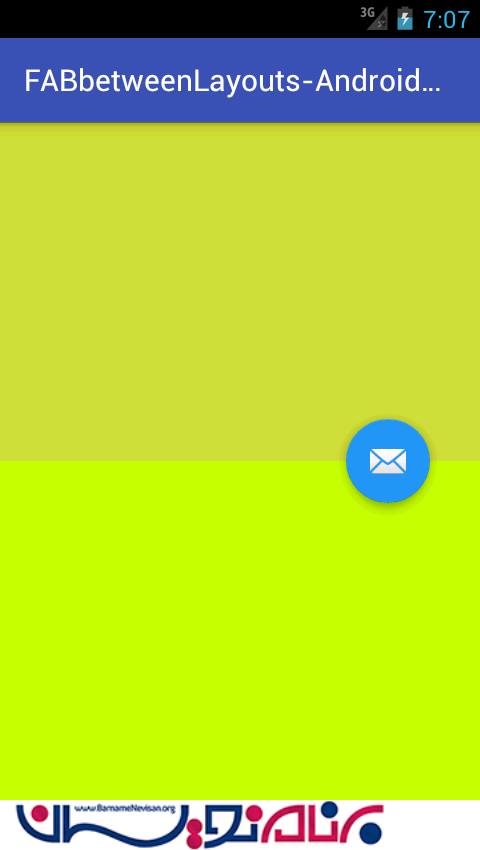
خروجی به صورت زیر خواهد بود:

- Android
- 2k بازدید
- 0 تشکر