
تغییر رنگ text Input با استفاده از متریال دیزاین در اندروید
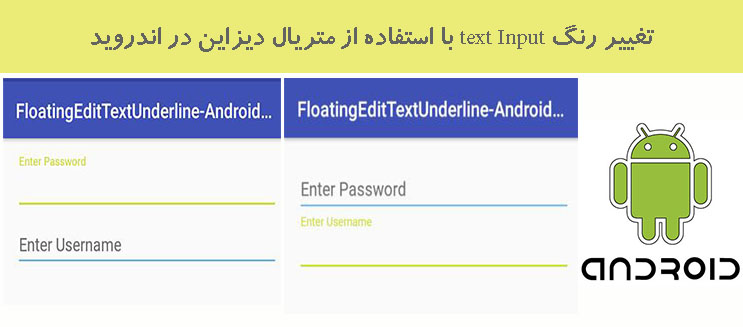
یکشنبه 24 اردیبهشت 1396در این مقاله قصد داریم که با استفاده از متریال دیزاین ها یک صفحه ی لاگین اجاد نماییم که در این صفحه ی لاگین زمانی که کاربر بر روی edittext آن زد رنگ آن عوض شود و کوچک تر شود.
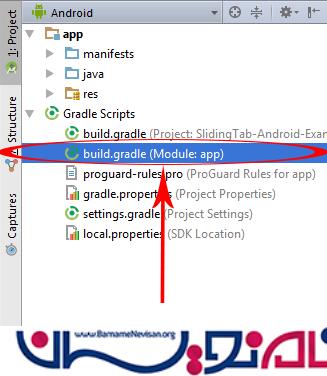
داخل build.gradle قطعه کد زیر را قرار دهید:
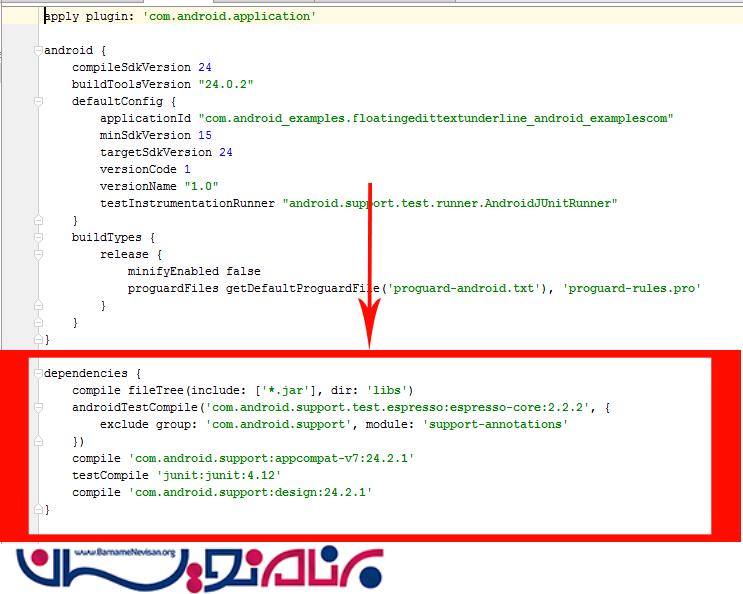
داخل آن قطعه کد زیر را قرار دهید:
compile 'com.android.support:appcompat-v7:24.0.0'
compile 'com.android.support:design:24.2.1'
داخل style.xml قطعه کد زیر را قرار دهید:
<item name="colorControlActivated">#009688</item>
<item name="colorControlNormal">#2196F3</item>
برای اینکه زیر متن را یک خط کشیده شود از کد بالا استفاده می شود.
در کلاس قطعه کد زیر را قرار دهید:
import android.support.v7.app.AppCompatActivity;
import android.os.Bundle;

public class MainActivity extends AppCompatActivity {

    @Override
    protected void onCreate(Bundle savedInstanceState) {
        super.onCreate(savedInstanceState);
        setContentView(R.layout.activity_main);
    }
}
در xml قطعه کد زیر را قرار دهید:
<RelativeLayout xmlns:android="http://schemas.android.com/apk/res/android"
    xmlns:app="http://schemas.android.com/tools"
    android:id="@+id/activity_main"
    android:layout_width="match_parent"
    android:layout_height="match_parent"
    android:paddingBottom="@dimen/activity_vertical_margin"
    android:paddingLeft="@dimen/activity_horizontal_margin"
    android:paddingRight="@dimen/activity_horizontal_margin"
    android:paddingTop="@dimen/activity_vertical_margin"
    app:context="com.android_examples.floatingedittextunderline_android_examplescom.MainActivity">

    <android.support.design.widget.TextInputLayout
        android:id="@+id/TextInputLayout2"
        android:layout_width="match_parent"
        android:layout_height="wrap_content">

        <EditText
            android:id="@+id/edittext2"
            android:layout_width="match_parent"
            android:layout_height="wrap_content"
            android:hint="Enter Password"
            android:layout_below="@+id/TextInputLayout1"

             />

    </android.support.design.widget.TextInputLayout>

    <android.support.design.widget.TextInputLayout
        android:id="@+id/TextInputLayout1"
        android:layout_width="match_parent"
        android:layout_height="wrap_content"
        android:layout_below="@+id/TextInputLayout2">

        <EditText
            android:id="@+id/edittext1"
            android:layout_width="match_parent"
            android:layout_height="wrap_content"
            android:hint="Enter Username"
            android:layout_below="@+id/TextInputLayout1"

            />

    </android.support.design.widget.TextInputLayout>

</RelativeLayout>
داخل فایل style قطعه کد زیر را قرار دهید:
<resources>

    <!-- Base application theme. -->
    <style name="AppTheme" parent="Theme.AppCompat.Light.DarkActionBar">
        <!-- Customize your theme here. -->
        <item name="colorPrimary">@color/colorPrimary</item>
        <item name="colorPrimaryDark">@color/colorPrimaryDark</item>
        <item name="colorAccent">@color/colorAccent</item>

        <item name="colorControlNormal">#2196F3</item>

        <item name="colorControlActivated">#009688</item>

    </style>

</resources>
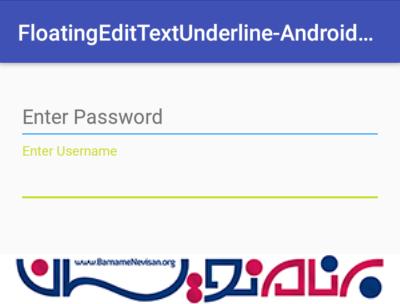
خروجی به صورت زیر خواهد بود:


- Android
- 2k بازدید
- 1 تشکر