
ساخت PDF با استفاده از PDF Make و AngularJS
جمعه 23 مهر 1395دراین مقاله قصدداریم که شما را با نحوه ساخت pdf با استفاده از PDF Make و AngularJS آشنا کنیم. که با مثالی که در این مقاله است ،بهتر برای شما این موضوع قابل درک میشود .
PDF Make ما را در ساخت PDF با استفاده از داده JSON کمک می کند.
<html lang='en'>
 <head>
    <meta charset='utf-8'>
    <title>my first pdfmake example</title>

<script src="Scripts/pdfmake/pdfmake.js"></script>
<script src="Scripts/pdfmake/vfs_fonts.js"></script>
<script src="Scripts/angular.js"></script>
<script src="Scripts/angular-ui-router.js"></script>
 </head>
ما نیاز به ساخت یک document برای ساخت یک PDF داریم .
var docDefinition = { content: 'This is an sample PDF printed with pdfMake' }
کتابخانه های سبک (Style Libraries) :
style های که reusable هستند قابلیت استفاده مجدد را دارند .
styles: {
                    'lineSpacing': {
                        margin: [0, 0, 0, 6]
                    },
                    'doublelineSpacing': {
                        margin: [0, 0, 0, 12]
                    },
                    'headingColor':
                    {
                        color: '#999966'
                    },
                    tableHeader: {
                        bold: true,
                        fontSize: 13,
                        color: '#669999'
                    }
                }
Header
header: function() {

                       return {
                           columns: [
                               {
                                text:'Csharp' ,
                                   width: 200,
                                   margin: [50, 20, 5, 5]
                               },
                               {
                                   stack: [
                                       { text: 'Project Details', alignment: 'right', fontSize: 12, margin: [0, 30, 50, 0] }
                                   ]
                               }
                           ]
                       }
                   },
در این مثال Header شامل تابع های داخلی است. اگر ما چندین صفحه داشته باشیم، Header بر روی آن حرکت میکند، این کار با یک تابع انجام میشود.
Footer
footer: function (currentPage, pageCount) {
                       return {
                           stack: [{ canvas: [{ type: 'line', x1: 0, y1: 5, x2: 595, y2: 5, lineWidth: 1, lineColor: '#ffff00', style: ['lineSpacing'] }] },
                           { text: '', margin: [0, 0, 0, 5] },
                           {
                               columns: [
                                   {},
                                   { text: currentPage.toString(), alignment: 'center' },
                                   { text: moment(new Date()).format("DD-MMM-YYYY"), alignment: 'right', margin: [0, 0, 20, 0] }
                               ]
                           }]

                       };
                   },
Table :
return [
               { text: 'PDF Print Test', fontSize: 20, bold: false, alignment: 'center', style: ['lineSpacing', 'headingColor'] },
               { canvas: [{ type: 'line', x1: 0, y1: 5, x2: 595 - 2 * 40, y2: 5, lineWidth: 1, lineColor: '#990033', style: ['lineSpacing'] }] },
               {text:'',style:['doublelineSpacing']},
               {
                   table: {
                       widths: ['auto', 'auto', 'auto', 'auto'],
                       headerRows: 1,
                       // keepWithHeaderRows: 1,
                       body: [
                           ['Project', { text: 'Technology', style: 'tableHeader' },'Language','Database'],
                           ['Intranet', 'Microsoft', { text: 'Sharepoint', colSpan: 2 }, {}],
                           ['Online Jobs', 'Microsoft','Asp.Net','SQL Server']

                       ]
                   }, layout: getLayout()
               }

           ];
دانلود PDF :
var date = new Date();
            date = moment(date).format('DD_MMM_YYYY_HH_mm_ss');
            pdfMake.createPdf(docDefinition).download('PDF_' + date + '.pdf');

//pdfMake.createPdf(docDefinition).open(); //to open pdf in new window
خروجی :
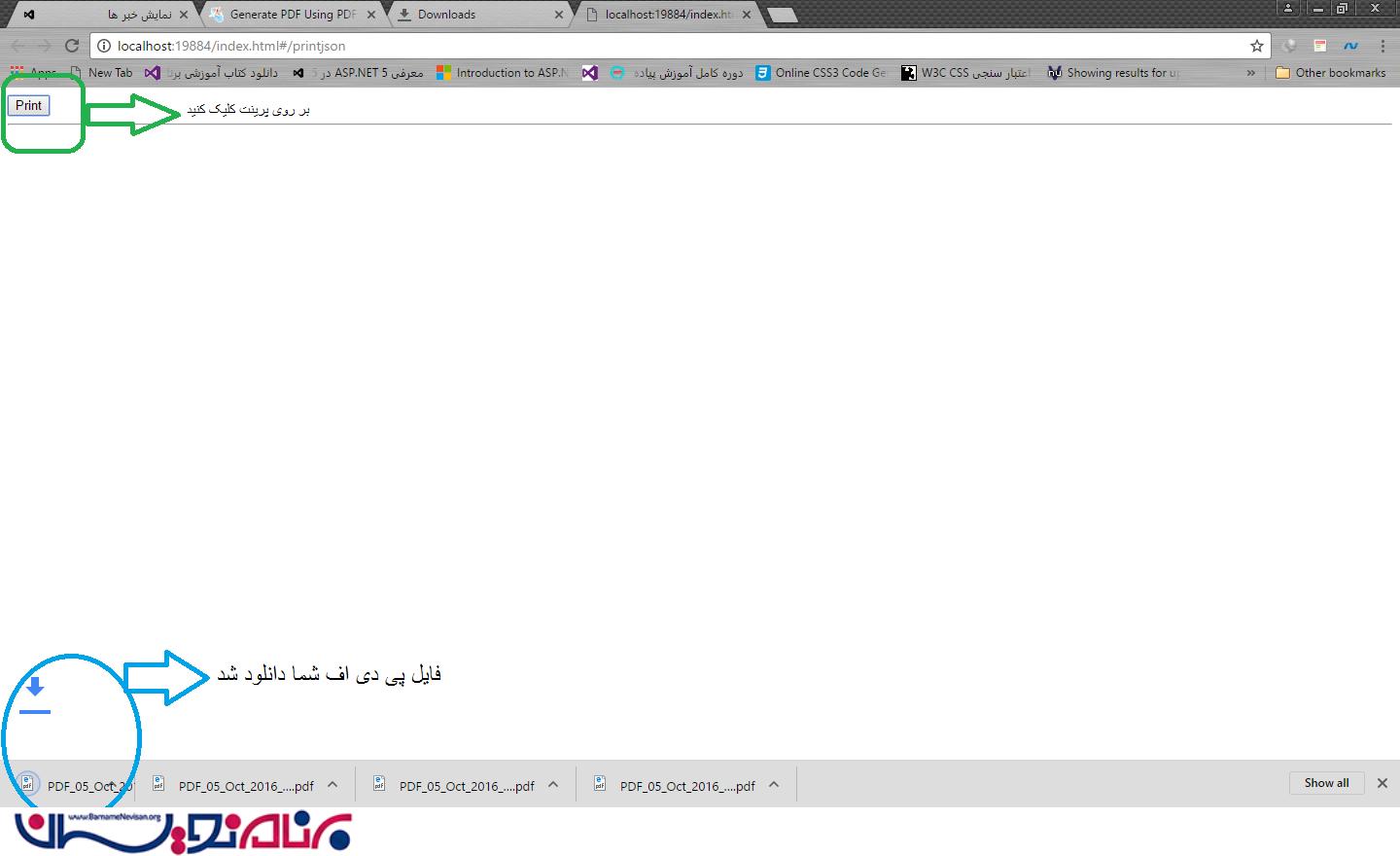
آموزش angular

- AngularJs
- 2k بازدید
- 1 تشکر